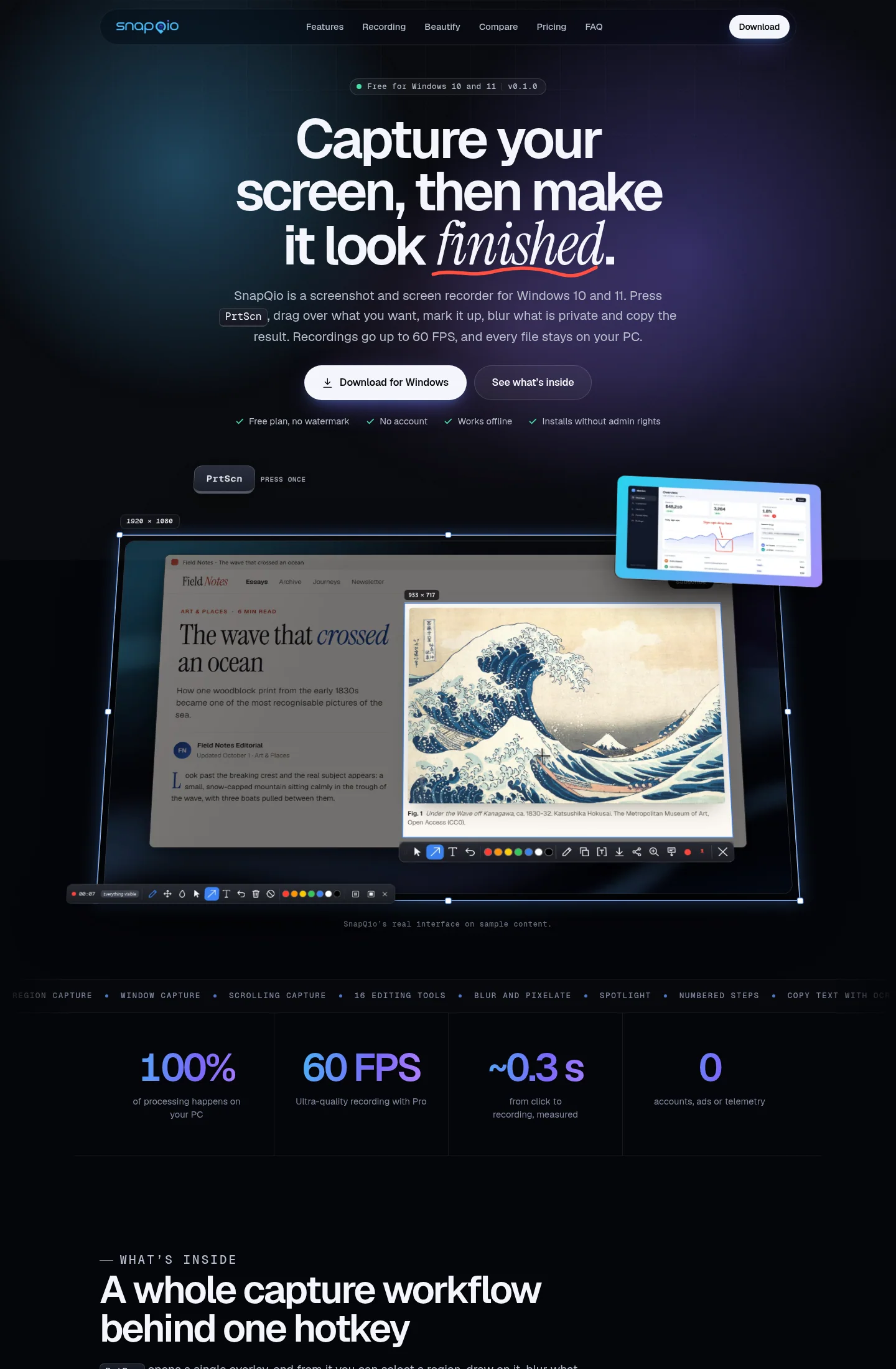

SnapQio combines screenshots, annotation and screen recording in one Windows program. A hotkey lets the user select part of the screen and prepare the capture for sharing.
What we built
We designed SnapQio, developed the Windows software and built its product website. The annotation tools sit alongside the capture workflow, so users can add arrows and text or blur private details immediately after taking a screenshot.
The program comes in two versions: x64 for ordinary Intel and AMD computers, and ARM64 for the newer laptops with ARM processors.
The product website explains the features and the x64 and ARM64 versions, with links to download them. The guide to Windows desktop app development covers planning a similar product.
What does SnapQio do for its users?
SnapQio does four jobs for the person at the keyboard, and none of them needs an internet connection.
- It captures any part of the screen and lets you draw on it straight away: arrows, text, a box around the button that matters.
- Names, amounts and addresses can be blurred before the picture goes anywhere.
- Text inside a capture can be copied out, even text you could never select, such as an error message or a scanned page.
- A page longer than the screen comes out as one tall image, and the same area can be recorded as video at 60 frames a second.
The program works without registration. Captures stay on the computer until the user chooses to share them.
SnapQio today
SnapQio is live at snapqio.com. Both versions can be downloaded there. We host the site, keep it up to date and back it up. When we build a program and its website for you, the source code, the domain and every word on the site are yours, and if you would rather run the site on your own hosting, we move it across with you.